Free Excel invoice template or free invoicing software?
Every entrepreneur should have suitable and working tools available. We offer you a free Isolta invoicing software that is already used by thousands of satisfied entrepreneurs or a handy Excel invoice template.
Free invoicing software
- Clear invoice templates
- Use for as long as you like
- Invoice archive
- Automatic invoice numbering
- Option to send e-invoices
- List of invoices
- Default settings for invoicing
Free Excel invoice template
- Ready-to-use invoice template
- Copy invoice template into a new invoice
- Possibility to edit invoice template
Why are you giving out free invoicing software?
We think that every entrepreneur benefit on using a tool for invoicing that is actually designed for invoicing. You can use Isolta for free with few invoices. However, when your amount of invoices and customers increase you can upgrade your account to a paid version. This is why we can offer a free invoicing software that meet the basic needs for invoicing.
We have been working among entrepreneurs for over 15 years, and entrepreneurship is close to our heart. Our duty is to ask, listen, and help – to develop the service according to your wishes.
Isolta is a part of the Finago product family.
Free invoicing software — pay only when your business starts to thrive
Completely free if you send invoices only occasionally. Reasonably priced for small businesses.
Possible billing period:
Invoicing Create and send invoices effortlessly. Use different invoice templates and barcode.
Receivables Check from the invoice list if the invoice is past due, paid or unpaid.
Payment reminders Add late payment fees and penalty interest and send the reminder to your customer
Sales reports With the help of sales reports you are able to estimate how your business is doing. Send reports to your accountant too!
Customer management CRM Keep track of your customers' orders, communications and agreements.
Product Register Save products, services, hourly rates and add them to the invoice directly from the product register.
Quotes Create quotes, order confirmations and dispatch notes from invoice drafts.
Free customer support Do you have any questions or need help using Finago Isolta? We will happily help you, for free.
Debt collection Single invoice Outsource an overdue invoice to a professional collection company.
Bank connection Adding a payment automatically to an invoice when your customer pays the invoice.
Group invoicing Sending several invoices at once to max 50 different customers.
Debt collection Automation Automatic reminders and debt collection to all overdue invoices.
Email and PDF-invoices per invoice sent Send the invoice directly from Finago Isolta to your customer's email, or download it as a PDF file and print / send it separately.
E-invoice to a company per invoice sent Send the invoice as an e-invoice directly to your customer's purchase invoice system.
Purchase invoice per received invoice Receive purchase invoices as e-invoices directly to Finago Isolta.
Printing service per invoice sent Send the invoice through our printing service, which will print and mail the invoice for you.
Payment default check Check whether your customer has payment defaults.
Payroll per salary paid Pay salaries conveniently to yourself and to your employees. You only pay one fee, and the service handles all government notifications and payments on your behalf.
Invoice financing per invoice sent You get the money into your bank account right after sending the invoice. The invoice receivable serves as guarantee for the financing.
Penalty interest Reminder sent by Isolta Default interest on a payment reminder from Finago Isolta.
Starter
0
€
/ Month
0 €
/ Month10 per year
0 €
0,67 €
0,67 €
3,12 €
2,00 €
17,00 €
Price depends on the invoice amount and payment terms.
16 %
Pro
12,99
€
/ Month + VAT
12,99 €
/ Month + VATUnlimited
0 €
0,67 €
0,67 €
3,12 €
2,00 €
17,00 €
Price depends on the invoice amount and payment terms.
16 %
Premium
22,99
€
/ Month + VAT
22,99 €
/ Month + VATUnlimited
0 €
0,67 €
0,67 €
3,12 €
2,00 €
17,00 €
Price depends on the invoice amount and payment terms.
16 %
No credit card. No commitments.
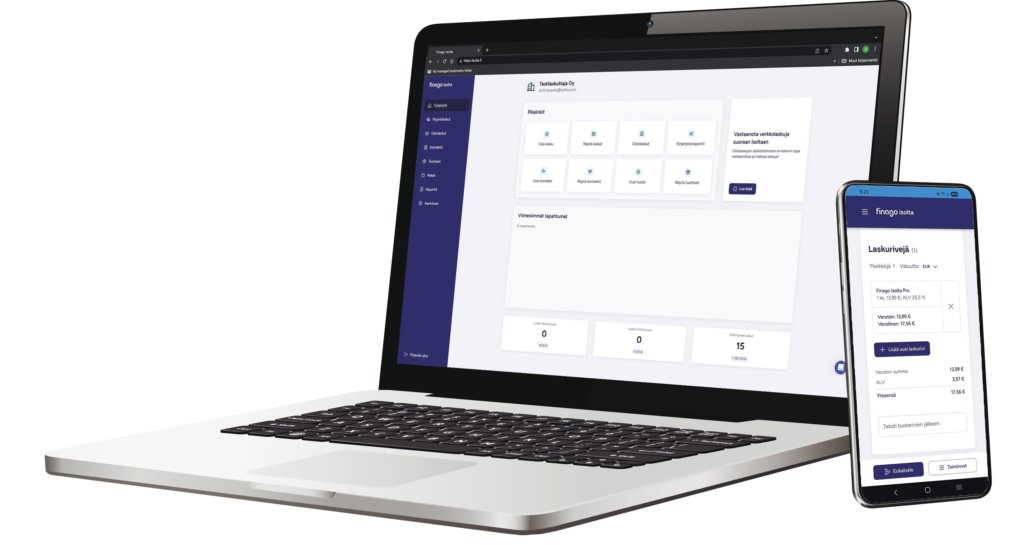
Easy invoicing with the invoicing software
It is easy to invoice. Enter the customer, add the products or services and press send. Our program automatically handles the invoice- and reference numbering and also gives you the option to create invoices in different languages. In addition to this you can choose if you want to send your invoices traditionally in paper or electronically.
Online system rocks immediately after the first tests

If internet works, Isolta works. I have never had any problems.

Creating an invoice has been enjoyable, easy and fast!

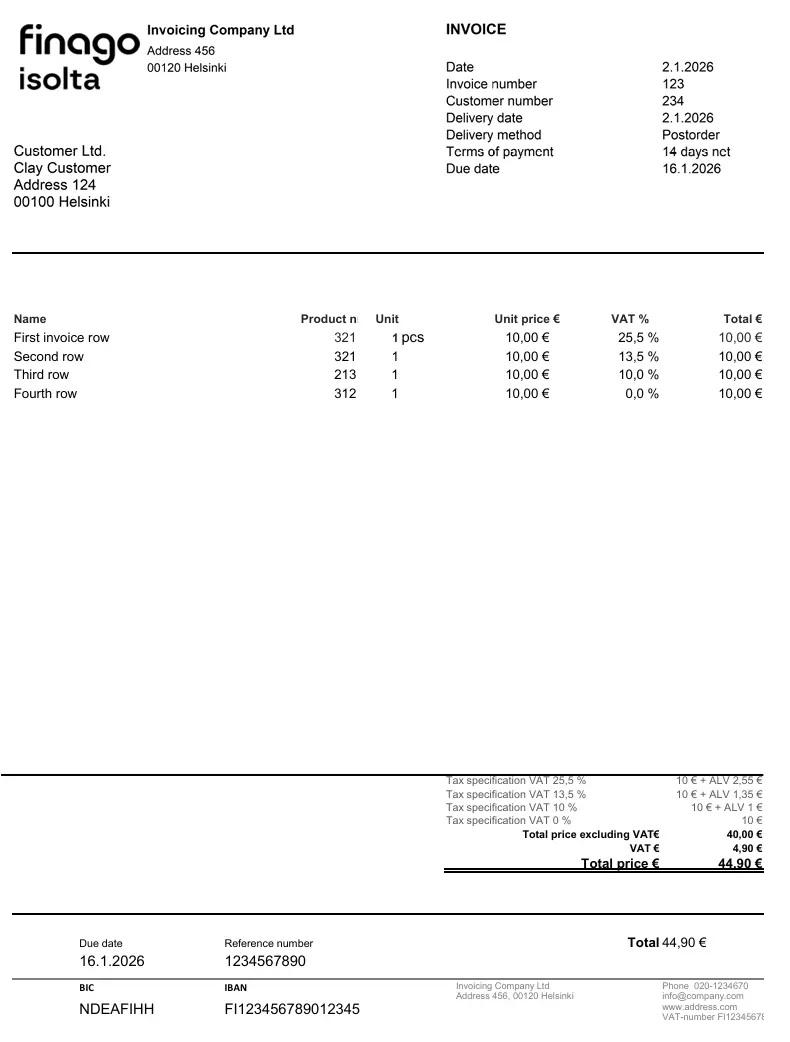
Instructions for the Excel invoice template
- Save the invoice template on your computer and open it with Excel.
- Fill in your company information in the fields E3, E4 and E5 and replace the Isolta logo with your own logo, or just remove it.
- Give every invoice a running invoice number (field L6) and add a reference number from the list of reference numbers that you have got from your bank (in field F54).
- Also fill in all the other basic elements for each invoice, such as term of payment, delivery date etc.
- If you want to fill in a description of your invoice add it in field C17.
- Fill in all information needed in the invoice rows. Based on the number of pieces (Column H), the duty-free unit price (Column J) and VAT-percentage (Column K), the total sum of the row (Column L) and the VAT-specification in the bottom of the invoice template is calculated.
- Print or save the invoice as a PDF-file and send it to your customer either by mail or e-mail.
- Save each invoice as a copy of the invoice template and name it according to the invoice numbering.
- Archive your invoices in folders that you name according to customers, month or year.
Most of the columns are locked to avoid breaking the invoice template when using it, however all the fields that need to be revised are open. You can unlock the other fields by using the “Protect and Share Workbook” tool under the “Review” tab.
or